NCBI GeneID and Symbol
NCBI Gene data changes daily, so download gene lists frequently.
Example of printing gene symbols (instead of geneids) from NCBI gene in a GOEA results table.
1) Download NCBI gene information into gene_result.txt
1a) Search for a gene set
Go to NCBI Gene in your browser https://www.ncbi.nlm.nih.gov/gene/
Type a search pattern and hit the “Search” button.
For example, to download all human protein-coding genes:
Text in 'Search':
genetype protein coding[Properties] AND "9606"[Taxonomy ID] AND alive[property]

| NCBI Search text                    | Description
|-------------------------------------|----------------------
| genetype protein coding[Properties] | Protein-coding genes
| "9606"[Taxonomy ID]                 | human
| alive[property]                     | NOT obsolete
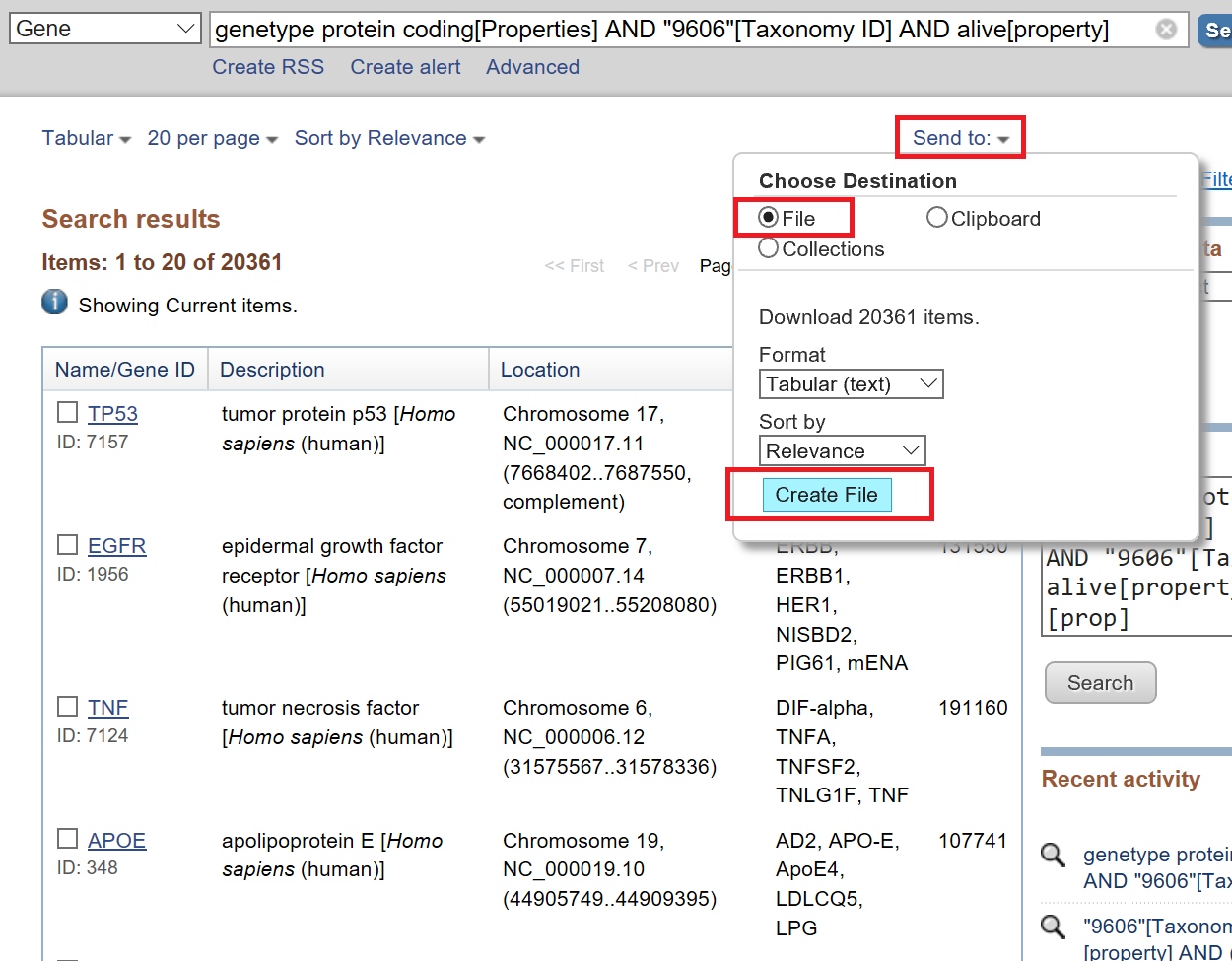
1b) Download gene_result.txt
Click pull-down menu: “Send to:”
Click “File” radial button
Click “Create File” button
2) Convert gene_result.txt file into Python
$ goatools ncbi_gene_results_to_python gene_result.txt -o gene_result.py
      20380 lines READ:  gene_result.txt
      20361 geneids WROTE: gene_result.py
3) Create a geneid2symbol.txt ASCII file
COMING SOON…
4) Run GOEA using –id2name flag
COMING SOON…
Copyright (C) 2016-2018, DV Klopfenstein, Haibao Tang et al. All rights reserved.